
MOMENT / iOS / ENTERPRISE APP
Install an iOS app
A clear path from download to first launch.
04iOS / iPadOS
iOS / ENTERPRISE APP
Apple Support iOS / ENTERPRISE APP
- 01
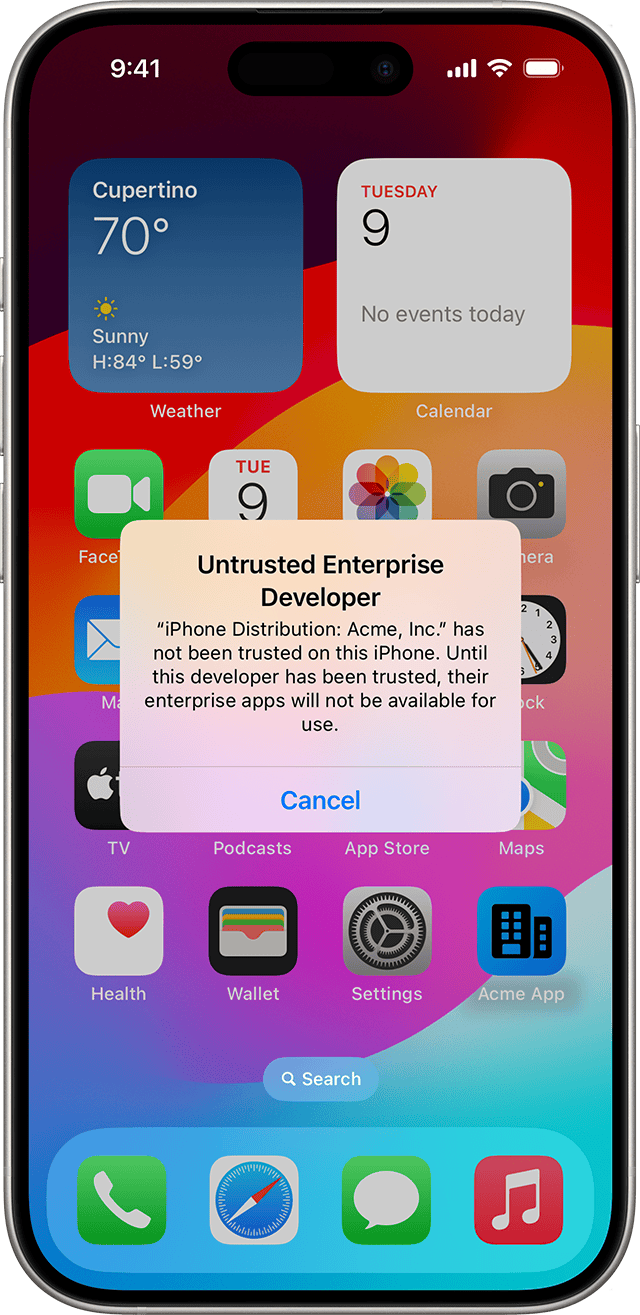
Check the source
Confirm the app comes from an organization you trust. Open it after installation and note the developer named by iOS.
Apple Support · iOS 17 · English - 02
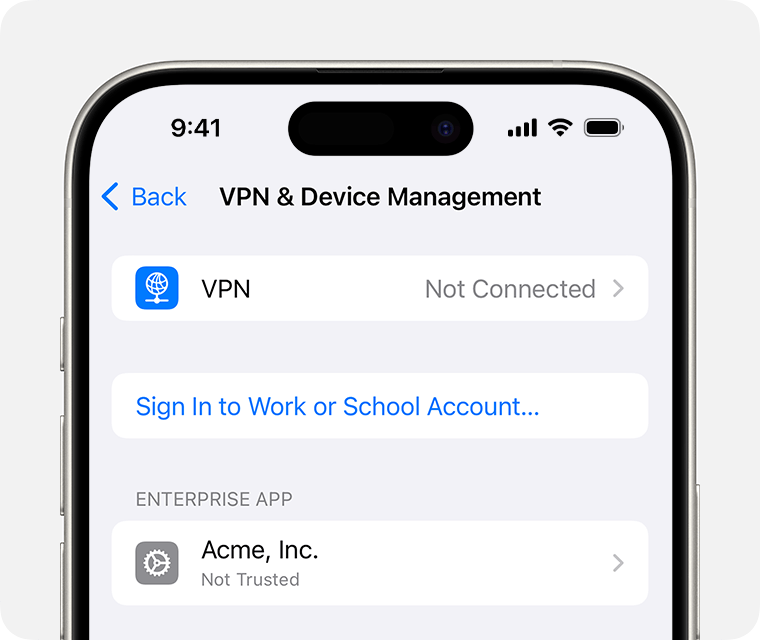
Open Settings
Go to Settings → General → VPN & Device Management and find the corresponding enterprise app developer.
Apple Support · iOS 17 · English - 03
Follow the system prompts
Check the organization name before establishing trust. Newer systems may show Allow & Restart; follow the instructions on your device.
Follow the iOS system promptsTrust / Allow & RestartThe wording depends on your iOS version. - 04
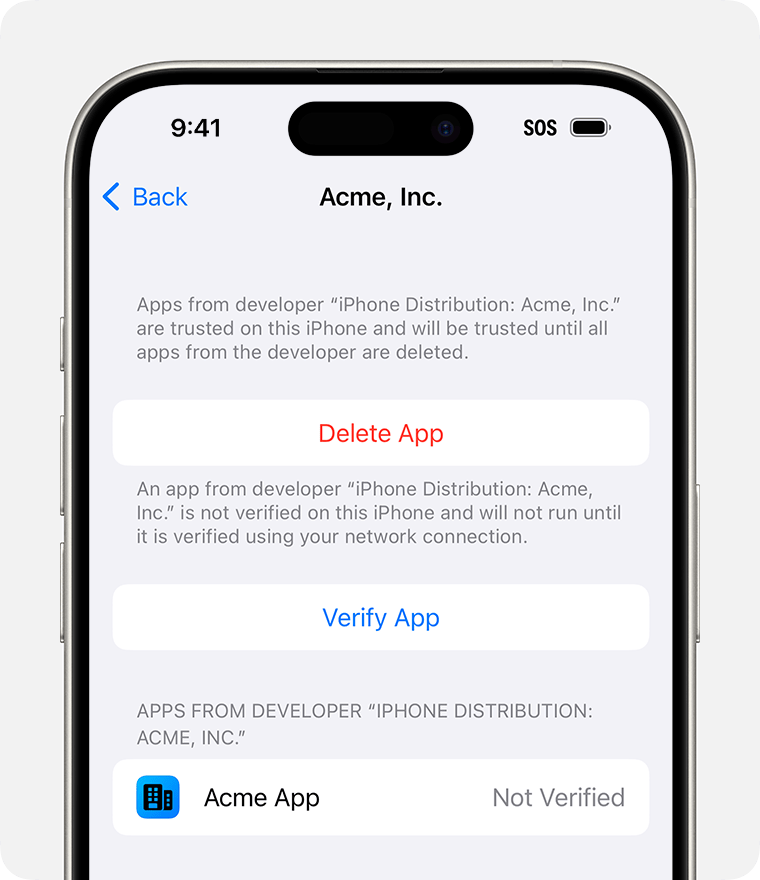
Open the app
Keep your device online for verification, then open the app from your Home Screen. Contact the provider if its certificate is no longer valid.
Apple Support · iOS 17 · English
Verify App: connect to the internet to verify the app.