
MOMENT / iOS / WEB CLIP
Add to your Home Screen
Install a website shortcut without trusting an enterprise developer.
04iOS / iPadOS
iOS / WEB CLIP
Apple Support iOS / WEB CLIP
- 01
Download the profile in Safari
Open the download page in Safari and download the configuration profile.

- 02
Open Profile Downloaded
Open Settings → Profile Downloaded, or General → VPN & Device Management.
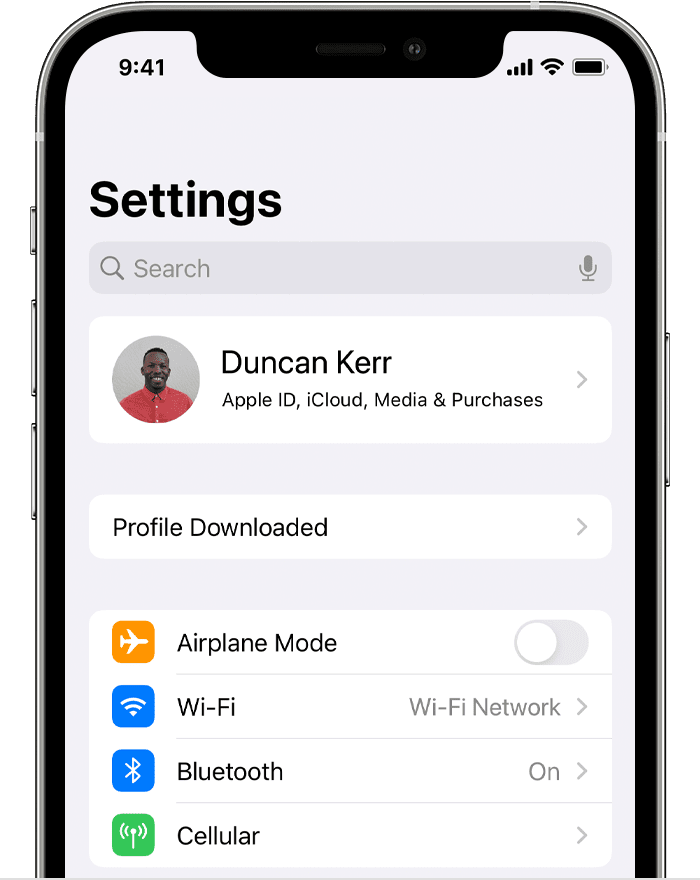
Apple Support · Profile Downloaded · English - 03
Review and install the Web Clip
Select the profile. Read its description and consent information, then follow the system prompts to install.

- 04
Open the website from Home Screen
Return to the Home Screen and tap the app icon to open the website.
